
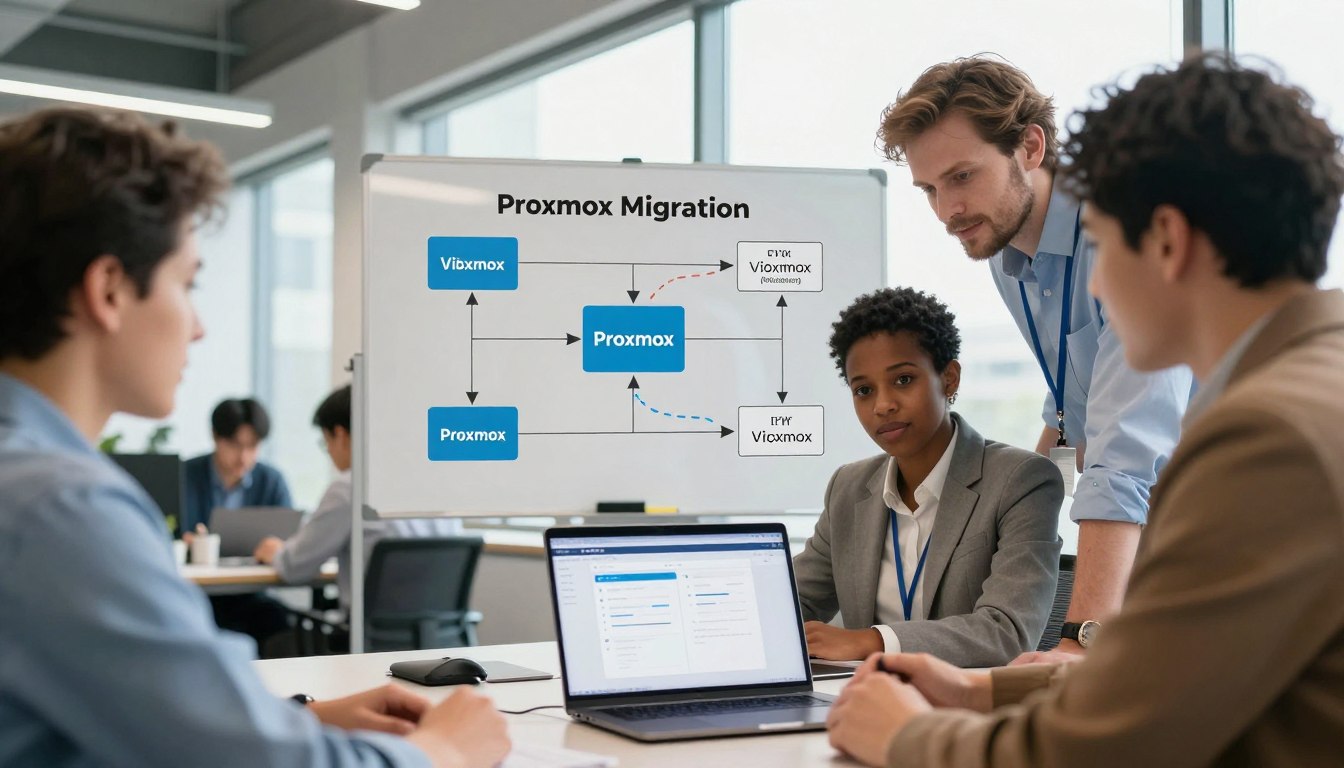
VMware subscription fatigue, rising cloud egress fees, and rigid scalability limits are draining Philippine IT budgets. We cut to the point: the rent-based cloud model fails modern businesses that need control, performance, and sovereignty.
As the leading sovereign infrastructure experts, we at ReadySpace deliver a practical, high-performance private alternative — based on open-source Proxmox — that lets you take back your data and operations.
This guide outlines a technical solution and a clear migration path for moving virtual machines off costly proprietary stacks and into a flexible, enterprise-ready platform.
Our roadmap covers storage and network design, import tools and manual workflows, guest drivers, and post-cutover validation — all aligned to Philippine compliance and local support hours.
For a deeper, step-by-step service offering and proven cutover strategies, see our detailed migration resource at migrate VMware to Proxmox.
Key Takeaways
- Escape costly licenses: Replace rent-based models with sovereign infrastructure.
- Performance: Move virtual machines to a high-performance open platform.
- Local control: Keep sensitive data in Philippine infrastructure under your governance.
- Proven paths: Use wizard or manual workflows for predictable cutovers.
- Operational readiness: Capacity planning, backups, and runbooks reduce risk.
Breaking Free from VMware Subscription Fatigue
Rising license fees and hidden cloud charges are squeezing IT budgets across Philippine enterprises.
Recurring subscriptions add steady, predictable cost—but they also limit where teams invest. By cutting licensing overhead, companies can redirect capital toward high-growth AI projects and platform innovation.
We provide a clear alternative. Our service helps teams escape vendor lock-in while keeping control of performance and cost. That shift reduces long-term spend and unlocks budget for product and talent growth.
High cloud egress fees often trap businesses inside costly public clouds. A sovereign infrastructure approach removes those hidden barriers and gives predictable operating costs.
“Eliminating recurring license costs lets IT leaders fund strategic initiatives instead of maintenance.”
| Cost Area | Proprietary Stack | Sovereign, Subscription-Free |
|---|---|---|
| Monthly Licensing | High and recurring | None — one-time or managed fees |
| Cloud Egress | Variable, often costly | Predictable, lower |
| Capital Allocation | Maintenance-heavy | Growth-focused (AI, ops) |
Result: Transitioning away from subscription models frees IT to scale—from small deployments to eight-figure programs—without surprise costs or vendor constraints.
The Strategic Advantage of Sovereign AI Infrastructure
Retaining your compute and records within the Philippines reduces risk and boosts application performance for local users.
Philippine data sovereignty is a core pillar of our approach. Keeping information in-country helps teams meet local rules and protects customer privacy.
ReadySpace acts as your partner. We design and operate secure, sovereign AI infrastructure to shield intellectual property and sensitive customer data.
Philippine Data Sovereignty
High availability depends on sound architecture. A Proxmox VE cluster uses quorum — at least three nodes — to keep services stable and data consistent.
| Concern | Sovereign Infrastructure | International Cloud |
|---|---|---|
| Jurisdiction | Data stays in the Philippines | Subject to foreign laws |
| Latency | Lower for local users | Higher for on‑premise delays |
| Control | Full operational control | Dependent on provider terms |
Result: Local control reduces legal risk and speeds access. Our solutions scale to meet AI performance needs and support long-term growth.
Learn more about our sovereign AI infrastructure at sovereign AI infrastructure.
Proxmox Migration Planning and Environment Readiness
Careful planning and an environment readiness check cut risk and shorten downtime for major virtualization projects. We first map your source hosts, storage, and network to define a clear target topology.
Assessing Source Hypervisor Compatibility
We evaluate the source hypervisor type and firmware—BIOS versus UEFI—so virtual machines boot correctly on the new host. A node-level review checks CPU type and hardware features; using a generic x86-64-v model helps preserve compatibility across different servers.
Cluster communication and networking are validated too—Corosync can use up to eight networks, so we confirm interface and network settings before cutover.
Preparing Guest Operating Systems
Installing VirtIO drivers inside each guest is essential for I/O and network performance. We also ensure disks are in supported formats and that the target has sufficient storage capacity for imported disks.
- Verify disk layout and filesystem consistency.
- Confirm CPU and device configuration inside the virtual machine.
- Use the web interface and management tools to preview the environment and node resources.
Result: By addressing source compatibility and guest drivers up front, we reduce migration time and minimize operational issues.
“Prepare the OS and the host first—this saves hours during the actual cutover.”
For an automated import workflow, see our detailed guide on importing OVF.
Technical Requirements for a Successful Proxmox Migration
We begin by defining the server, storage, and network requirements that guarantee predictable outcomes.
Storage must be planned first. Choose file-level or block-level options and leverage native plugins to get best throughput. For many workloads, ZFS offers simplicity and checksums. Ceph scales for large clusters and high resilience.
Deduplication and fast incremental backup are essential. A dedicated proxmox backup server provides filesystem‑independent dedupe and quick restores. These backup features reduce storage churn and speed recovery.
Network design matters — isolate Corosync traffic on a dedicated VLAN or physical link. This prevents congestion and keeps cluster latency low.
“Every server must be configured to maintain quorum — that stability underpins high availability.”
| Requirement | Recommended Option | Why it matters |
|---|---|---|
| Storage strategy | ZFS or Ceph | Balances performance and redundancy |
| Backup system | Proxmox Backup Server | Deduplication and fast incremental backups |
| Network | Dedicated Corosync link | Low latency, avoids congestion |
| Cluster config | Subscription-tested Enterprise repo | Stable, production-ready features |
We also ensure each server is configured for quorum and consistent time sync. For detailed procedures and supported workflows, see the official migration guide and our Hyper-Converged Infrastructure offerings.
Executing the Virtual Machine Import Process
Importing virtual machines is a precise process: convert source disks, update the target configuration, and validate every file to protect business data.
Automated Import Methods
Automated tools speed bulk moves of vms and handle common storage options. Use the web interface menu to monitor throughput and job status in real time.
Automated flows reduce manual steps but may still require custom settings for complex server environments.
Manual Disk Conversion Techniques
For legacy files or unusual disk types, we use the qemu-img convert command to change VHDX and other formats into QCOW2 for best performance.
After conversion, run qm rescan on the proxmox host to let the destination recognize attached disks and update device names.
Verifying Data Integrity
Verification is mandatory. We run checksums and boot tests, confirm boot order and SCSI controller settings, and validate network and storage configuration.
Backups are kept throughout — they provide a recovery point if issues arise during the migration. Our team completes the end-to-end process, from source export to final verification on the new host.
For a step-by-step service playbook, see our VMware to Proxmox migration steps.
Optimizing Storage and Network Performance
Small infrastructure choices drive big performance wins. The right storage type and link setup ensure virtual disks deliver consistent I/O for demanding workloads.
We select between ZFS, LVM, and Ceph based on workload type and desired redundancy. ZFS fits many server-class deployments for checksums and simplicity. Ceph scales across a cluster when you need large-scale replication and space efficiency.
For block storage via iSCSI or Fibre Channel, we enable multipath. This provides redundant links to the storage box and prevents a single fiber or interface from becoming a failure point.
- Link aggregation: network bonds stack to raise bandwidth and add redundancy for critical cluster traffic.
- Resource tuning: proper cpu allocation and memory ballooning keep guests responsive under load.
- Storage economy: thin provisioning and replication reduce wasted space and protect files across nodes.
| Area | Recommended Option | Benefit |
|---|---|---|
| Storage type | ZFS / Ceph | Balance of performance and resilience for disks |
| Network | Bonded interfaces | Higher throughput and failover for cluster traffic |
| Connectivity | Multipath for iSCSI/FC | Redundant paths to storage box |
| Scaling | Thin provisioning + replication | Efficient space use and high availability |
Optimization is a continuous process. We implement monitoring tools and periodic reviews to spot hotspots. This keeps servers and disks tuned as demand grows across Philippine enterprises.
Managed Services versus DIY Infrastructure Approaches
Deciding between a managed service and a do-it-yourself stack shapes your team’s ability to scale revenue and maintain uptime.
DIY can look cheaper at first. It requires less vendor commitment and gives full control to your engineers.
But hidden costs appear fast—staff time, troubleshooting, and patching. These add ongoing operational risk that grows with scale.
Managed services remove that burden. We operate the environment, run updates, and handle backups so your team focuses on AI features and business goals.
With ReadySpace, you gain expert support and local operational hours aligned to Philippine business needs. Our model keeps systems optimized and secure at scale.
“Outsourcing day‑to‑day operations lets teams invest time in product innovation — not routine maintenance.”
- Lower total cost of ownership over time.
- Access to specialist skills without hiring overhead.
- Faster time to scale and predictable uptime.
Ensuring High Availability and Data Sovereignty
Preventing downtime starts with a clear quorum plan and disciplined failover rules for every node in the cluster. We design cluster settings so HA guests recover automatically on remaining hosts if a node or link fails.
Corosync must use a stable, low-latency network. We configure dedicated network paths to avoid split‑brain and reduce unnecessary failover events.
Fencing is applied to power off failed hosts quickly. That prevents disk corruption and keeps files consistent on the target after a failure.
- We keep storage and backup systems inside Philippine infrastructure to protect sensitive data and meet local rules.
- Verification steps are run post‑migration to confirm checksums and the integrity of destination files and disks.
- Commands and CLI tools are used for precise configuration changes; the web menu shows cluster health and VM status.
“Regular failover testing keeps environments ready — we schedule and validate failovers to avoid surprises.”
Result: A resilient cluster, named nodes for easy management, and redundant storage paths deliver predictable performance and fast recovery for your virtual machines. Learn more about our enterprise service.
Action Plan for AI Infrastructure Scaling
A deliberate pilot-first strategy helps teams validate performance, backup routines, and replication before full scale.
We recommend a phased process that starts with a short discovery call and ends with a clean cutover to your new environment.
- Conduct a 30-minute Infrastructure Discovery Session with ReadySpace Philippines to assess your current environment and identify the best path forward.
- Deploy a pilot cluster to validate compute, storage, and virtual machine performance under real AI loads.
- Implement a comprehensive backup strategy using Proxmox Backup Server to protect models, datasets, and critical data.
- Automate vms and machine provisioning with infrastructure-as-code to scale quickly and reduce human error.
- Monitor cluster health via the web interface to track performance and determine when to add storage or a proxmox host.
- Schedule regular replication and backups to enforce high availability and fast recovery.
- Decommission legacy systems once verification completes so the new proxmox environment is your primary platform.
Result: A repeatable action plan that aligns storage, backup, and compute so Philippine enterprises scale AI with control and confidence.
Conclusion
Take control of costs and performance with a planned, local transition that fits Philippine business needs.
Following this migration guide helps you build a sovereign AI foundation that scales from small pilots to eight‑figure programs. Our team delivers a proven service and technical guidance to move critical virtual machines with care.
The migration process is efficient and secure — we protect data and tune for high performance. Our experts work with you from discovery to cutover so the entire machine fleet stays reliable.
Ready to stop renting your infrastructure? Stop renting your infrastructure. Apply for a 30-minute Infrastructure Discovery Session with ReadySpace Philippines at https://readyspace.com.ph.
FAQ
What is the recommended first step when planning a VMware to Proxmox migration for Philippine enterprises?
Start with a full inventory of your virtual machines, storage, network settings, and backup schedules. Map dependencies—databases, application tiers, and DNS—and capture current performance metrics. This gives a clear baseline for capacity planning, risk assessment, and timelines.
How can organizations reduce costs tied to vendor subscriptions while keeping enterprise features?
Audit license usage and identify features you actually need—backup, HA, or support. Consider open-source platforms and a managed service model to retain enterprise-grade capabilities without high recurring fees. We recommend phased migration to reduce disruption and validate cost savings.
Why is data sovereignty important for Philippine AI deployments?
Local data residency helps meet regulatory requirements and reduces latency for AI workloads. Hosting sensitive datasets within the country improves compliance with privacy laws and gives better control over governance and incident response.
How do we confirm our VMware environment is compatible with the target platform?
Check virtual hardware versions, disk formats, guest OS drivers, and any paravirtualized devices. Verify network topologies and storage protocols. Run compatibility tests with a representative VM set to catch driver or tool issues early.
What preparation is required inside guest operating systems before importing VMs?
Remove vendor-specific agents, uninstall redundant drivers, and install or enable open-standard drivers like virtio where possible. Clean up temporary files and ensure time sync and network configs are generic to avoid conflicts after conversion.
What are the core hardware and software requirements for a successful migration?
You need sufficient CPU cores, RAM headroom, and storage IOPS to absorb conversion load. Ensure network bandwidth for large disk transfers and a backup server for snapshots. Verify management tools, access control, and monitoring are ready on the destination host.
What automated tools exist to import virtual machines and when should we use them?
Use vendor-provided import utilities or community tools that handle disk conversion and metadata mapping. Automated methods save time for bulk moves but test thoroughly—automations can miss custom drivers or complex networking setups.
How do we handle manual disk conversion for nonstandard disk images?
Export disks to a portable format, convert using qemu-img or equivalent to the target format, then register disks with the target management layer. Maintain checksums and use sparse transfers to save bandwidth. Perform conversions during low business hours.
What methods should we use to verify data integrity after import?
Compare checksums of exported and imported disks, validate application-level checks (database consistency checks, file hashes), and run automated functional tests. Keep backups until verification completes and monitor logs for errors.
How can we optimize storage for performance and capacity after migration?
Right-size disk types—use SSD for latency-sensitive workloads and tiered storage for archival data. Enable thin provisioning and deduplication where safe. Monitor IOPS and latency and adjust RAID or filesystem settings to match workload patterns.
What networking changes improve VM performance in the new environment?
Use modern network drivers, enable multiqueue and offload features, and segment traffic with VLANs or overlay networks for management, storage, and VM traffic. Ensure MTU and bonding are consistent end-to-end and test throughput under load.
Should we choose a managed service or DIY approach for the new infrastructure?
Choose managed services if you want predictable operational overhead, SLAs, and vendor support. Choose DIY if you have in-house expertise and need full control. We advise a hybrid model—managed for critical services and self-managed for development or cost-sensitive workloads.
How do we design clusters for high availability and quorum resilience?
Distribute nodes across fault domains, use odd node counts or an external quorum device, and ensure reliable network paths for heartbeats. Plan fencing and automatic failover policies. Regularly test node failure scenarios and recovery procedures.
What practices help scale AI infrastructure efficiently?
Design with GPU-aware scheduling, fast NVMe or local NVMe caches, and scalable storage backends. Use orchestration tools for workload placement, automate provisioning, and plan capacity for data ingress and model training peaks.
How long does a typical VM import take and what affects the timeline?
Import time depends on disk size, network bandwidth, and conversion steps. Small VMs can move in minutes; multi-terabyte disks may take hours. Pre-staging disks, using incremental replication, and scheduling transfers during off-peak times shorten downtime.
What backup strategy is recommended during and after the move?
Keep full backups before starting any conversion. Use snapshot-based incremental replication during cutover and keep a rollback plan. Post-migration, implement regular backups, retention policies, and offsite replication for disaster recovery.
How should we validate application performance after cutover?
Run synthetic load tests and compare key metrics—latency, throughput, CPU, and memory—against your migration baseline. Monitor application logs and user experience, and tune resource allocations based on test results.
What common issues arise and how do we mitigate them?
Common problems include driver incompatibilities, misconfigured networking, and storage bottlenecks. Mitigate by testing representative VMs, staging changes in a lab, and keeping detailed runbooks and backups for rapid rollback.
Can we use replication to minimize downtime during migration?
Yes—continuous replication reduces cutover time. Synchronize disks ahead of the final switchover, then perform a brief stop-and-copy for delta data. Validate replicated data and test failback procedures.
What tools help manage the new environment and ensure compliance?
Use configuration management, monitoring, and logging tools for visibility and auditing. Implement role-based access control, encryption at rest and in transit, and policy-based backups to meet compliance and security requirements.

Comments are closed.